
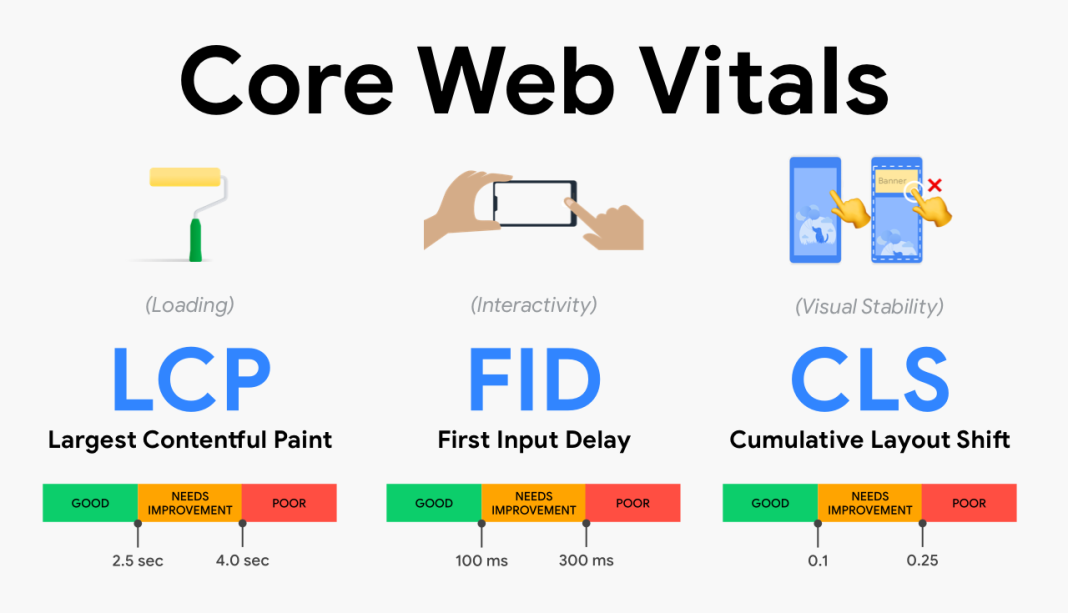


Google’s Core Web Vitals are a set of metrics introduced to measure the user experience of a website, focusing on how users perceive the performance of a web page. These metrics are part of Google’s broader page experience signals and are crucial for SEO as they can impact a site’s search ranking. Here’s a breakdown of what you need to know about Core Web Vitals:
1. Largest Contentful Paint (LCP)
- What It Measures: LCP measures the loading performance of a web page. Specifically, it looks at how long it takes for the largest content element (such as an image or a block of text) to become visible within the viewport.
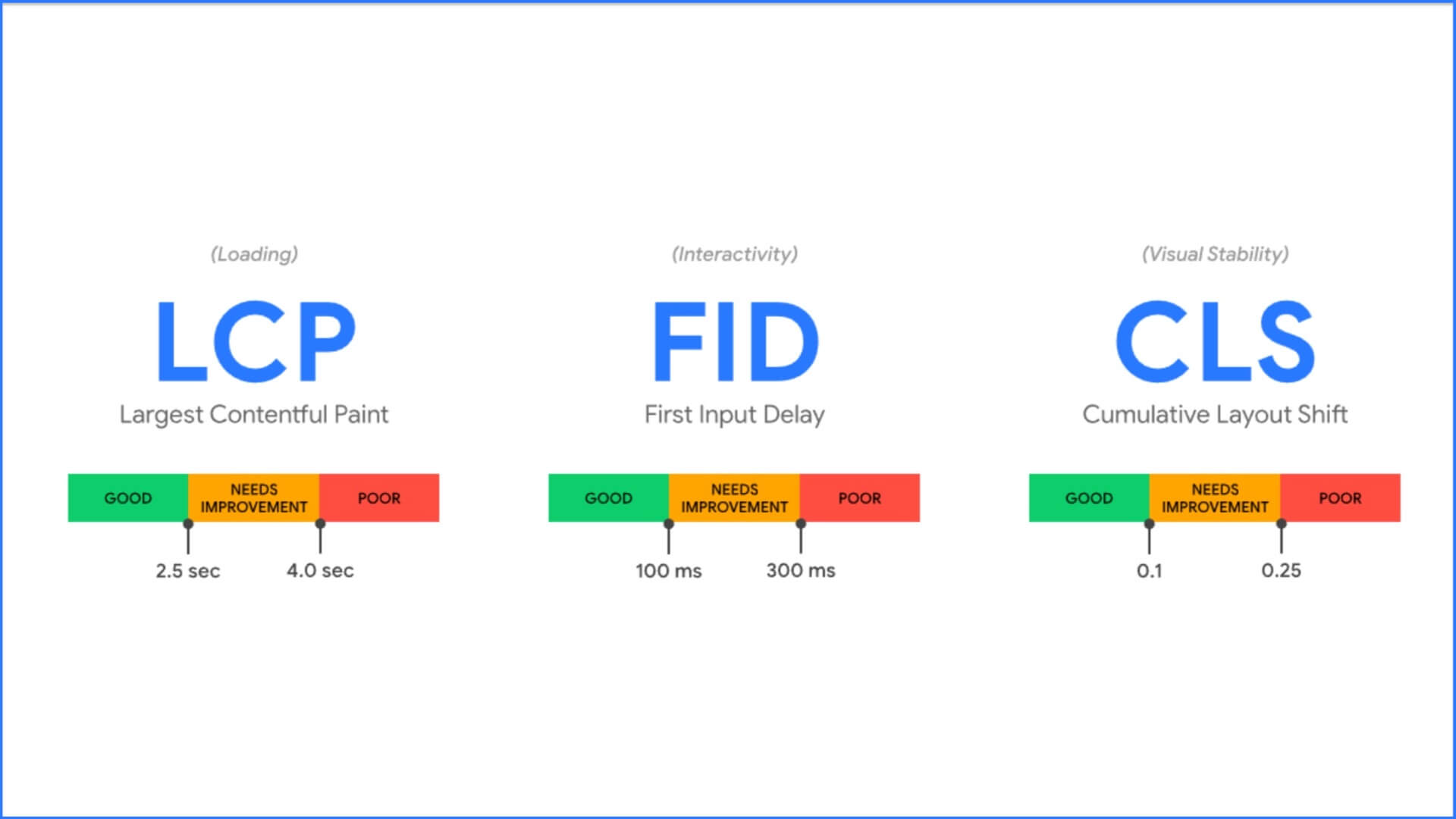
- Ideal Performance: The LCP should occur within 2.5 seconds of when the page starts loading.
- How to Improve: Optimize images, use efficient CSS, and leverage browser caching to reduce the time it takes for the largest content element to load.
2. First Input Delay (FID)
- What It Measures: FID measures the interactivity of a web page. It gauges how quickly a page responds to user interactions like clicks, taps, or key presses.
- Ideal Performance: The FID should be less than 100 milliseconds.
- How to Improve: Minimize JavaScript execution time, break up long tasks into smaller ones, and use web workers to handle heavy computations off the main thread.
3. Cumulative Layout Shift (CLS)
- What It Measures: CLS measures the visual stability of a web page. It tracks how much the page layout shifts during loading, which can lead to a poor user experience if content moves around unexpectedly.
- Ideal Performance: The CLS score should be less than 0.1.
- How to Improve: Set size attributes for images and videos, reserve space for ads, and avoid inserting content above existing content.
Why Core Web Vitals Matter
- User Experience: These metrics directly affect user experience. A fast-loading, interactive, and stable site improves overall satisfaction and engagement.
- SEO Ranking: Google uses Core Web Vitals as a ranking factor in its search algorithm. Sites that perform well on these metrics are more likely to rank higher in search results.
- Business Impact: Improved user experience can lead to higher conversion rates, reduced bounce rates, and better overall site performance.

How to Measure and Monitor Core Web Vitals
- Google PageSpeed Insights: Provides a detailed analysis of your site’s performance and suggestions for improvements.
- Google Search Console: Offers a Core Web Vitals report that shows how your pages perform according to these metrics.
- Web Vitals Extension: A Chrome extension that provides real-time feedback on Core Web Vitals as you browse different sites.
Improvement Strategies
- Optimize Resources: Reduce the size of resources such as images, CSS, and JavaScript files. Utilize modern formats and compression techniques.
- Enhance Server Response: Improve server response times by using a content delivery network (CDN) and optimizing backend processes.
- Minimize Render-Blocking Resources: Load CSS and JavaScript files in a non-blocking manner to speed up page rendering.
By focusing on these Core Web Vitals, website owners and developers can ensure their sites provide a better experience for users and perform well in search rankings. Regularly monitoring and optimizing these metrics is crucial for maintaining a competitive edge in the digital landscape.